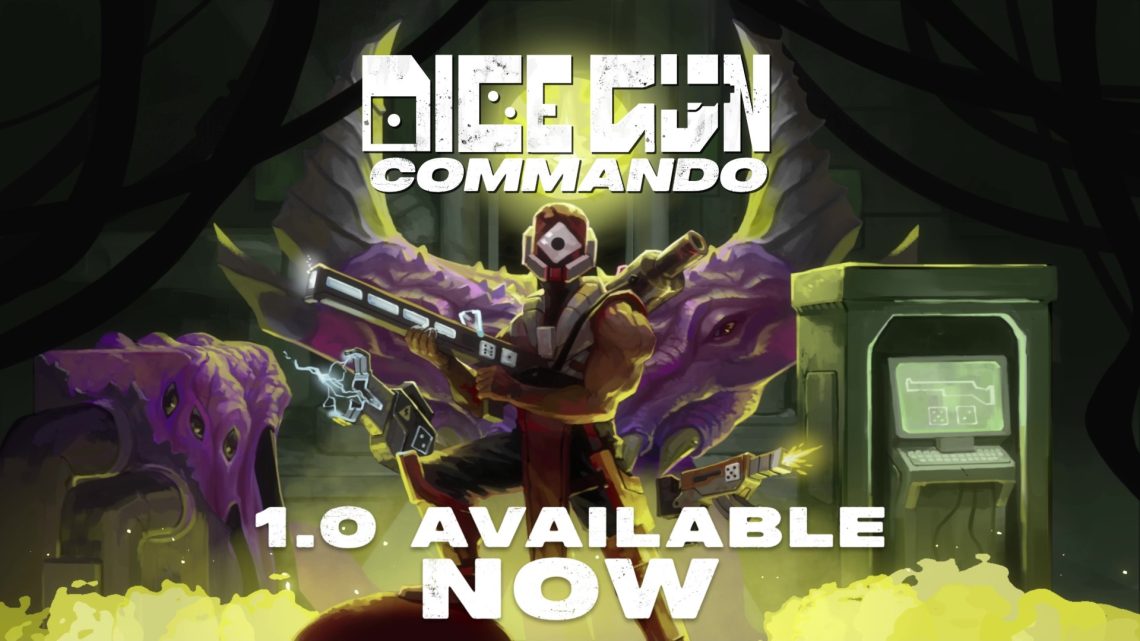
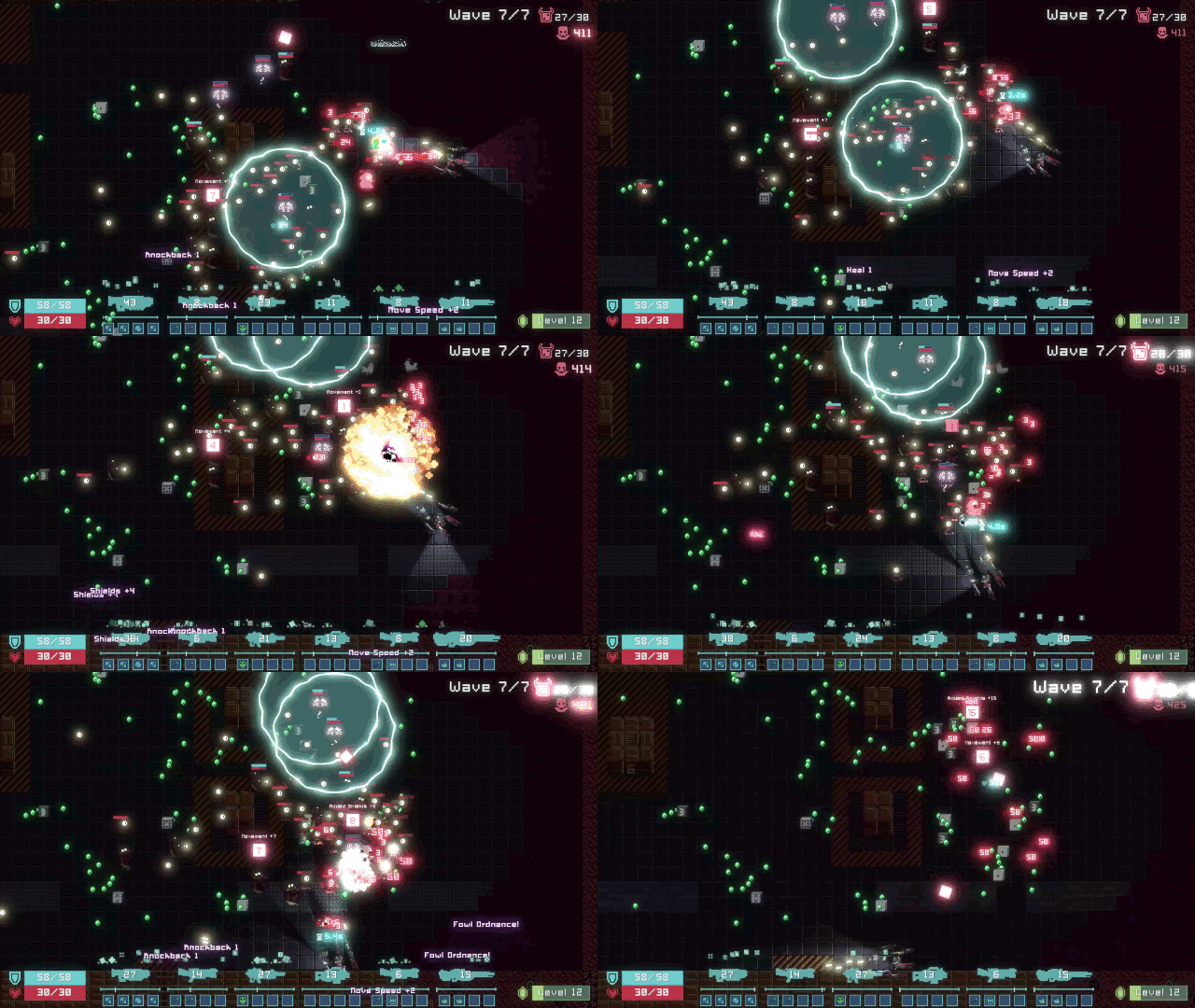
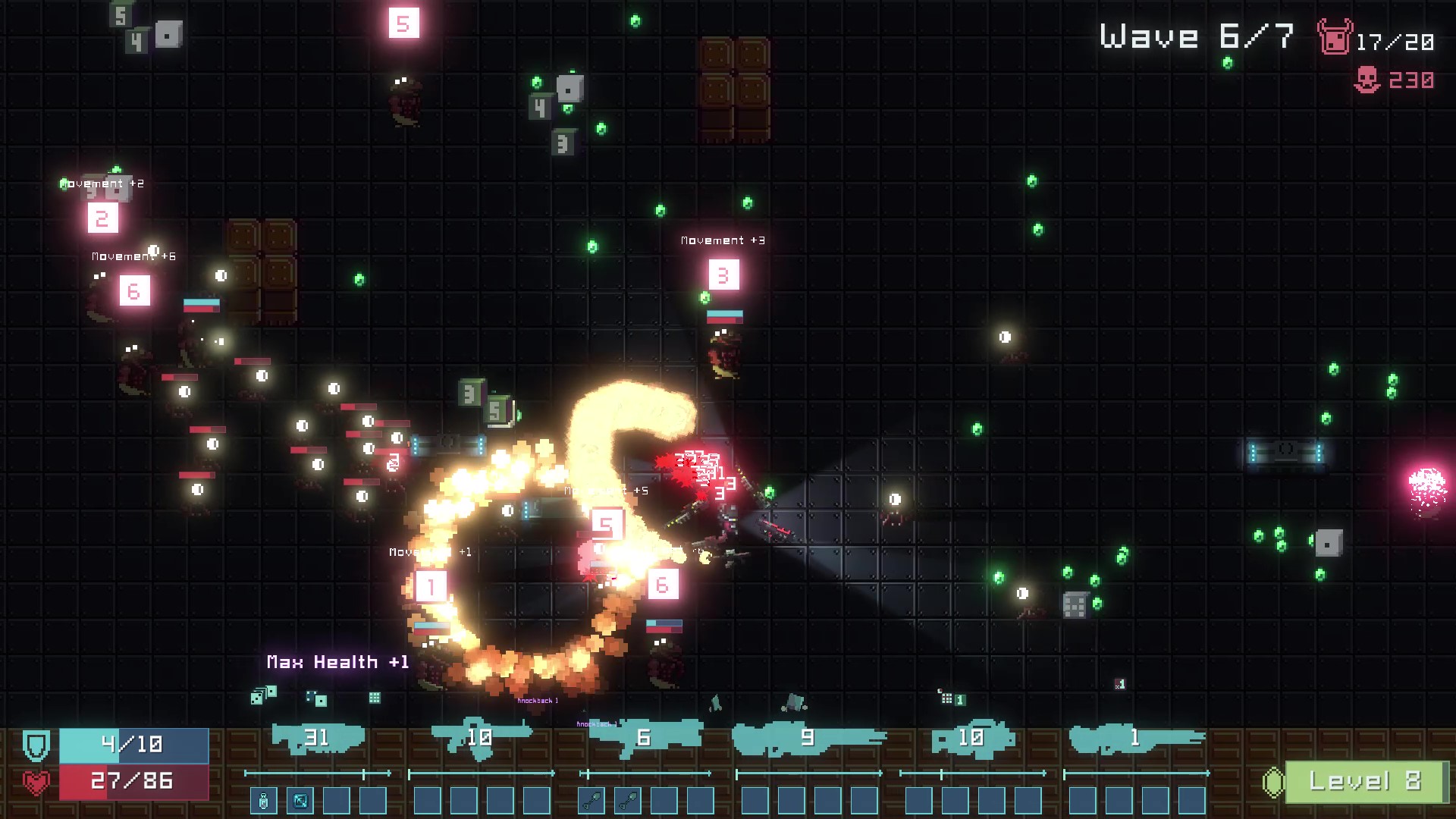
I’ve just released Dice Gun Commando, my first commercial game ever!
If you’re interested in a bullet heaven with dice-building synergy mechanics, or 2D pixel art with lighting effects, buy or wishlist the game on Steam!
I’ve been making a lot of GIFs lately as part of creating Dice Gun Commando’s pitch deck. I didn’t want to pay for a dedicated tool, and browser-based services don’t cut it, so I cobbled a flow together using FFmpeg and GIMP.
While you can look up how to do it online, the exact process I wound up doing combines enough parts that I wanted to write a tutorial for it. At the end of this, I wind up with GIFs lasting 2-6 seconds and being 5-10 megabytes in file size.
Steps to convert video to GIF
Step 1: Make a video
Whatever process you need to make the source video, do that. For the Dice Gun Commando needs, I record footage with the in-built Windows 10 screen-recording tool; if I need to combine videos, I do that in a video editor (any which allows you to use a timeline should do).
I ensure that the videos last however long I need the GIF to last. 2-6 seconds is usually good enough for my purposes.
Step 2: Convert the video to frames
We need to convert the video to individual frames so they can be imported into GIMP later. I use FFmpeg for this, an open-source video converter. You can get FFmpeg from their website.
Once you have FFmpeg installed, go to the folder where you have the video. Create a new folder to contain your exported frames. I’ll create a gif_frames_example folder for this tutorial; you should name the folder to something that makes sense to you.
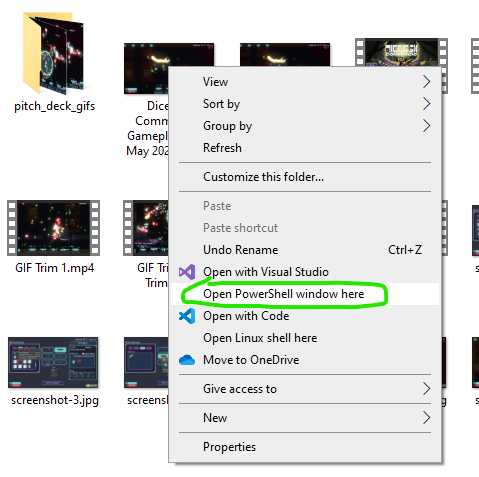
Next, you need to open a command line interface inside the folder with the video. If you don’t already have a CLI, Windows lets you open a PowerShell CLI in any folder by using shift-right click in a folder.
Once you have the CLI open (and ensured it’s in the correct folder), operate FFmpeg using the following command:
-i "video name.mp4" is the input source, aka the video you’re converting. The quotation marks are necessary if the video’s name has spaces, to ensure the CLI interprets the name correctly.
"gif_frames_example/frame-%04d.png" is where you’re saving the frame images to. The %04d part allows FFmpeg to name the image files by using a four-digit sequential number (for example, frame-0123.png), and png is the image format you’re saving to.
You could use other image formats by changing the extension, like .jpg
Hit enter to run the command. FFmpeg should run the conversion in seconds.
Step 3: Import the frames into GIMP
GIMP is an open-source image editing program, similar to Photoshop. You can download it for free from their website.
If your GIMP UI looks different from mine, it’s because I’m still using the 2.10 version of GIMP, which looks different from the 3.x versions. Everything should still work the same way.
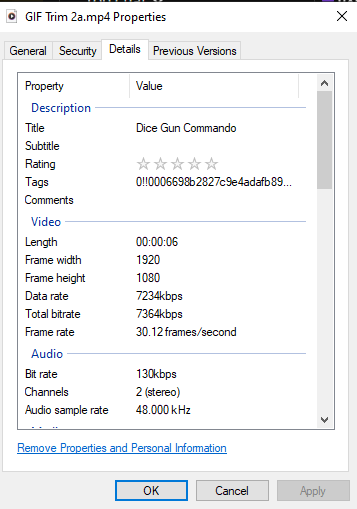
Open GIMP and ensure you’re on a new project, and that the canvas size matches the resolution used in your video. If you don’t already know this information, right-click on the video and view the properties.
“Frame width” and “Frame height” are what you’re looking for. Also note the “Frame rate” for later.
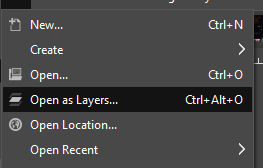
Go to File and select Open as Layers.
Navigate to the gif_frames_example folder (or whatever you named it), shift-select all of the images within, and open them.
By storing all the images in one folder, we can select the first image, scroll to the bottom, and shift-select the last image; this selects all of the images at once.
GIMP will run for a bit, importing each frame image as its own layer.
Step 4: Downscale the image resolution
Right now, the images are the same resolution as what you recorded the video in. We can shave off file size by shrinking the image size to something smaller (we usually don’t want 1920×1080 GIFs anyway). It also makes the subsequent steps much faster!
There’s two ways to do it in GIMP, depending on what you need.
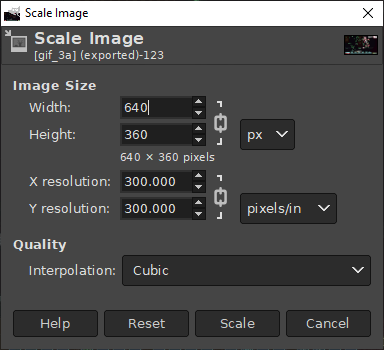
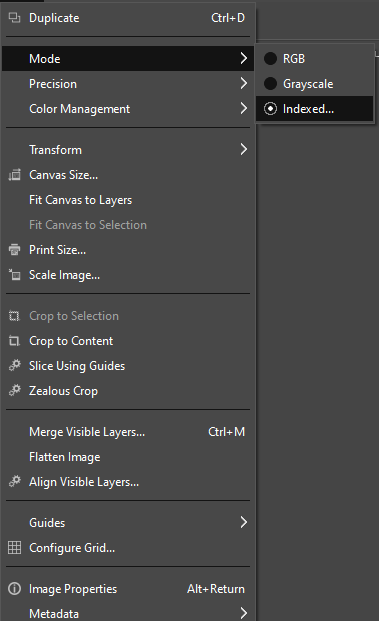
The first approach is to just shrink the entire image. Do this via Image/Scale Image.
For best results, make sure the smaller size is a multiple of your video’s resolution. Here, I divided 1920×1080 by 3 to get 640×360.
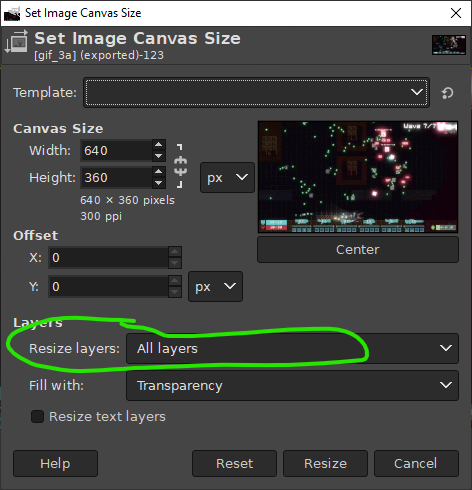
The second approach is to change the Canvas Size and resize all the layers in the process. This is useful when you want the GIF to focus on a small part of the overall image. Do this via Image/Canvas Size.
Make sure “Resize layers” is set to “All layers”, otherwise the image size isn’t changed at all!
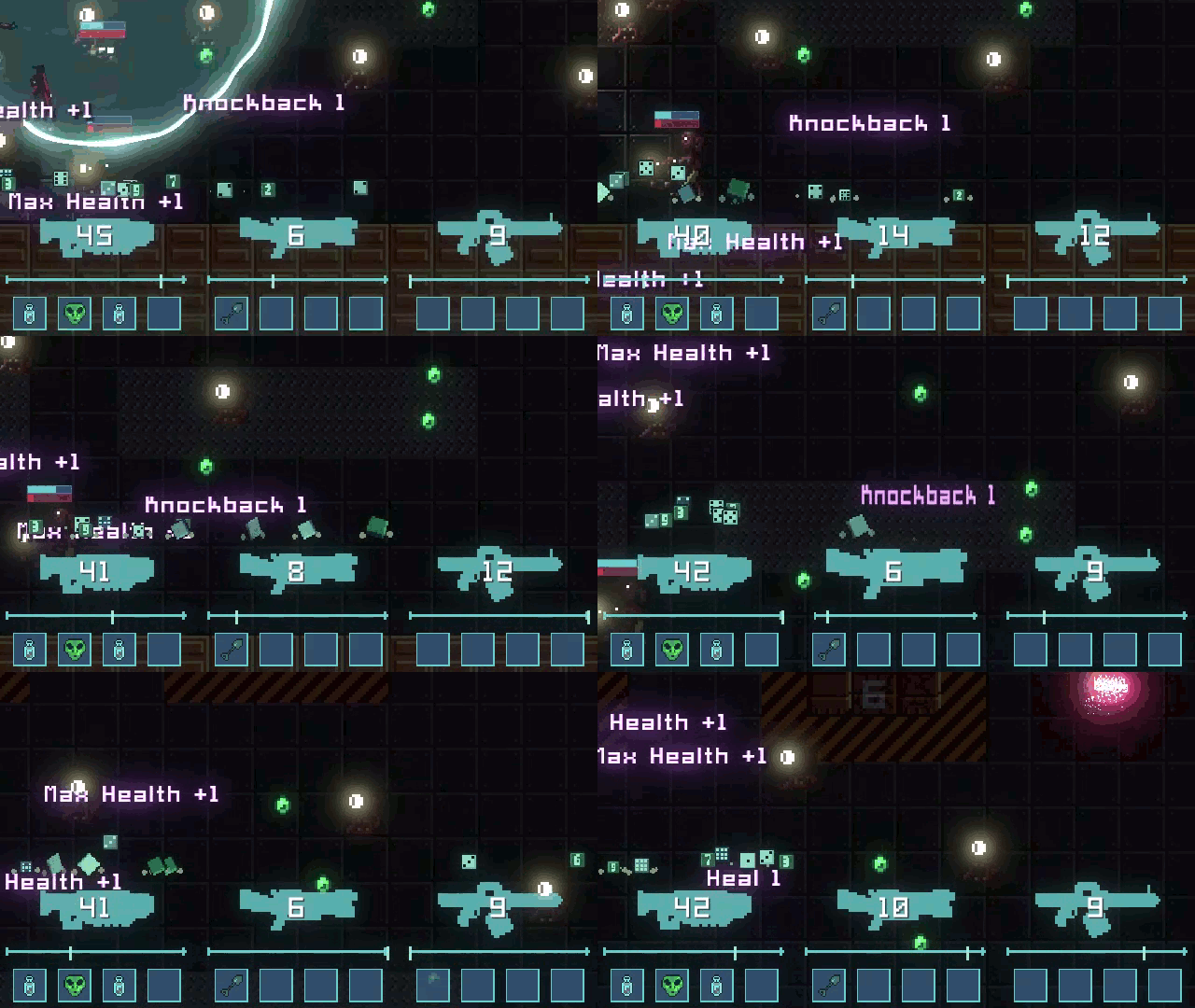
I used this to focus on the guns UI part of the GIF.
Step 5: Optimize the color palette
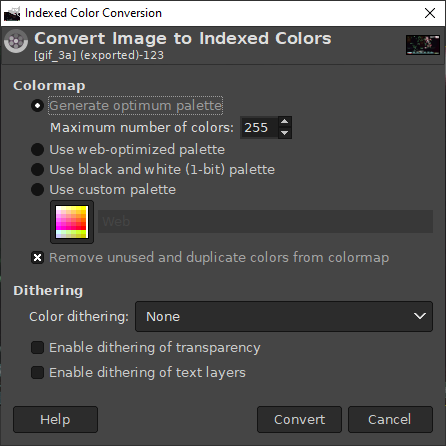
We can save more file size by reducing how many colors the images use. Most people won’t be able to tell much difference between 255 colors and 16000 colors!
Do this in GIMP via Image/Mode/Indexed, then choose Generate optimum palette from the menu. Set the maximum colors to whatever seems reasonable (I chose 255).
GIMP will run for a bit, but should be done in a minute or two.
It takes way longer when the image resolution is larger. That’s why we shrank the image first!
Step 6: Optimize for GIFs
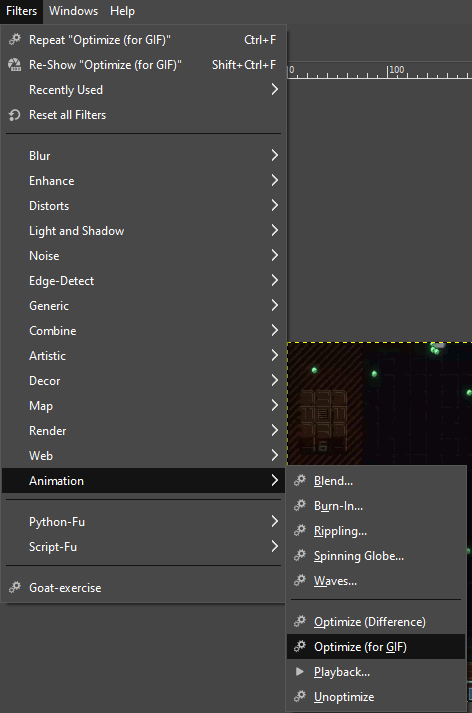
GIMP has a filter called Optimize (for GIF). What this does is go through each frame in your gif and remove all pixels that didn’t change between this frame and the previous frame. This further reduces how large the GIF needs to be, and doesn’t noticeably change the final visuals.
Apply the filter via Filters/Animation/Optimize (for GIF).
GIMP will need a few more minutes to run this.
Step 7: Export as GIF
We’re finally ready to export the GIF!
Go to File/Export As, then type gif_frames_example.gif (replacing gif_frames_example with your chosen filename). Make sure the file name ends with .gif, as that is what tells GIMP you want to export a GIF!
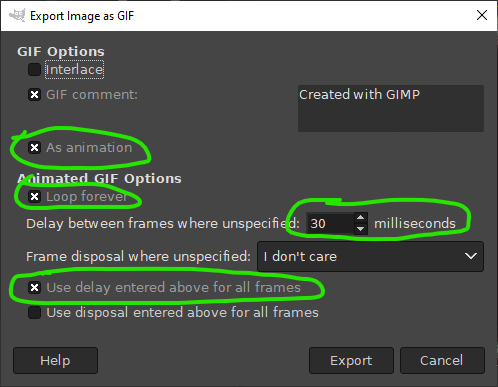
Once you hit Export, you should see a menu pop up, allowing you to configure the export.
Ensure As animation is checked, as that gives you access to the other options.
Check Loop forever if you want the GIF to loop.
Delay between frames allows you to specify how fast the frames change. Set this to match the frame rate from the original video if you want the GIF to play at the same speed. (Or, tweak it if you want it to be faster/slower).
Finally, Use delay entered above for all frames forces that frame rate to be the same for every frame. Otherwise, it uses the format specified when you ran Optimize (for GIF) (which is 100ms).
Pressing Export here does the export. If you configured everything correctly before, this should only take a few seconds, and should produce a GIF that is in the 5-10 megabyte range.
I’m working on a new game, Dice Gun Commando, and we just released our public demo! It’s a dice-builder survivors-like where guns roll dice, dice trigger mods, and mods cause MAYHEM!
Long story short (which I plan to write about someday), Dice Tower needs funding to continue development, we didn’t get it, so it’s on hiatus for awhile.
Dice Gun Commando is our pivot to making a smaller game that incorporates the dice mechanics of Dice Tower in a more accessible action genre, on a faster release timeline (targeting middle of 2026). Early playtests and feedback show signs that this could be a big game!
If you want to following Dice Gun Commando progress, join the Loonicy server!
I recently encountered an issue with my Godot game, Dice Tower, where clicking around on random parts of the game (like the background of a menu) resulted in focused buttons losing focus to…nothing at all. I didn’t find any search results which got to the root of the actual problem, so I’ll share what I figured out in case someone suffers the same problem in the future.
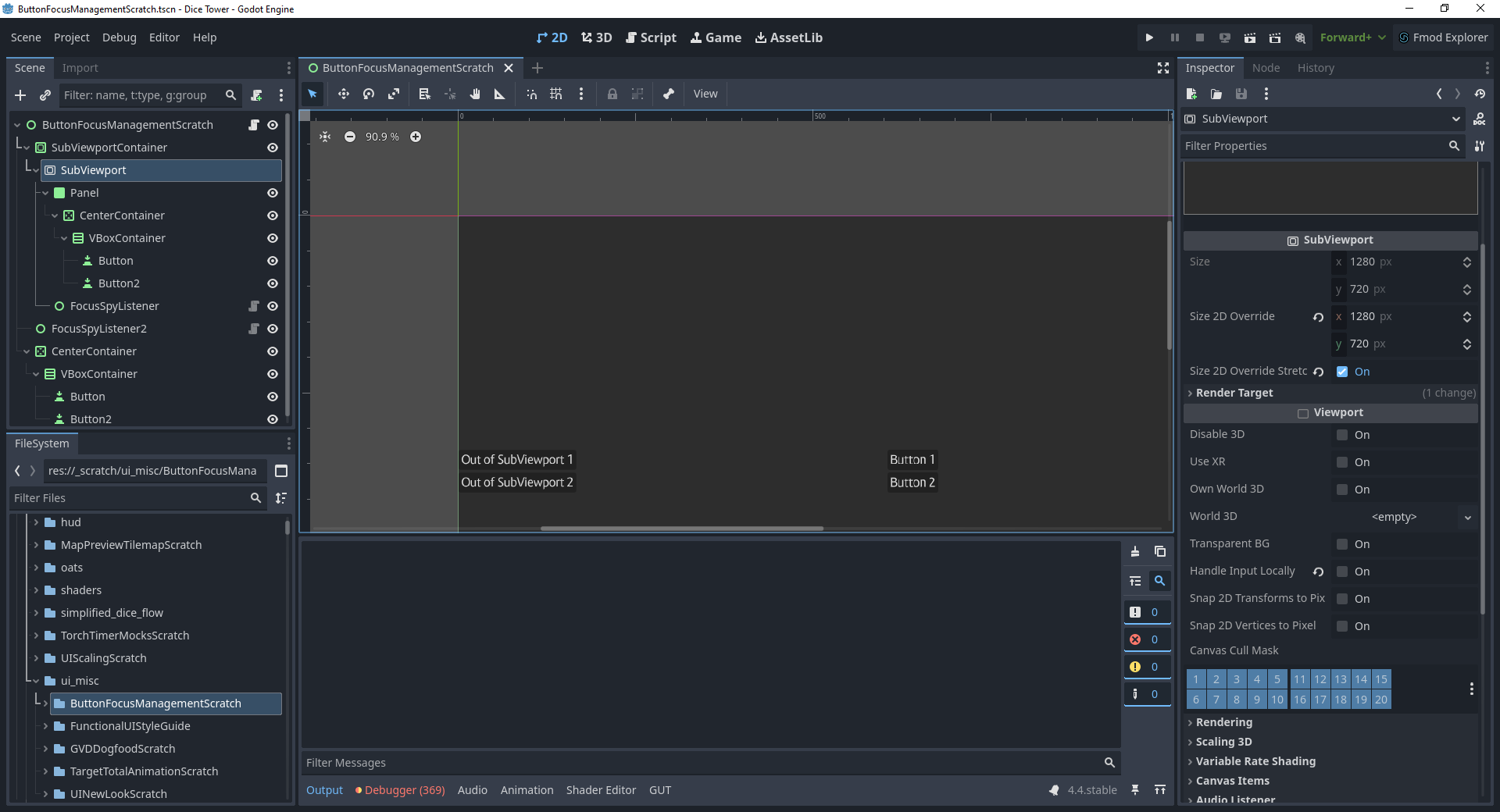
Root Cause: SubViewportContainer nodes default with focus_mode: CLICK.
My game uses a lot of SubViewport nodes for rendering tricks around mixing pixel art and hi-res assets. Accordingly, I also use SubViewportContainer nodes to wrap the viewports and scale them as needed. Because of focus_mode: CLICK (which means focus is grabbed when clicked), that meant any time I clicked on something that itself wasn’t grabbing focus, the SubViewportContainer grabbed that focus, instead.
Ultimately, it wasn’t a hard fix. However, at no point during my internet sleuthing did I come across any articles that suggested this was the problem. I only figured it out by creating a test scene and experimenting with different configurations of nodes and viewports to fix the perceived behavior. Thus, I wrote this article.
Hopefully, if you are also trying to figure out why clicking on random stuff loses button focus, this article saved you time in figuring out the problem. Comment if it did!
I recently gave a talk for IGDA Twin Cities: “So, You Wanna Do a Side Project?”
I also gave an earlier version of this talk at Minnebar 19.
It’s based around my experiences doing side projects and how I’ve become proficient at making time for them while still having a life. The talk was well-received, and there were some great questions and discussions after the main presentation. If you’re looking for tips and inspiration around your own side projects, this is for you!
Watch the full presentation and Q&A below, or here!
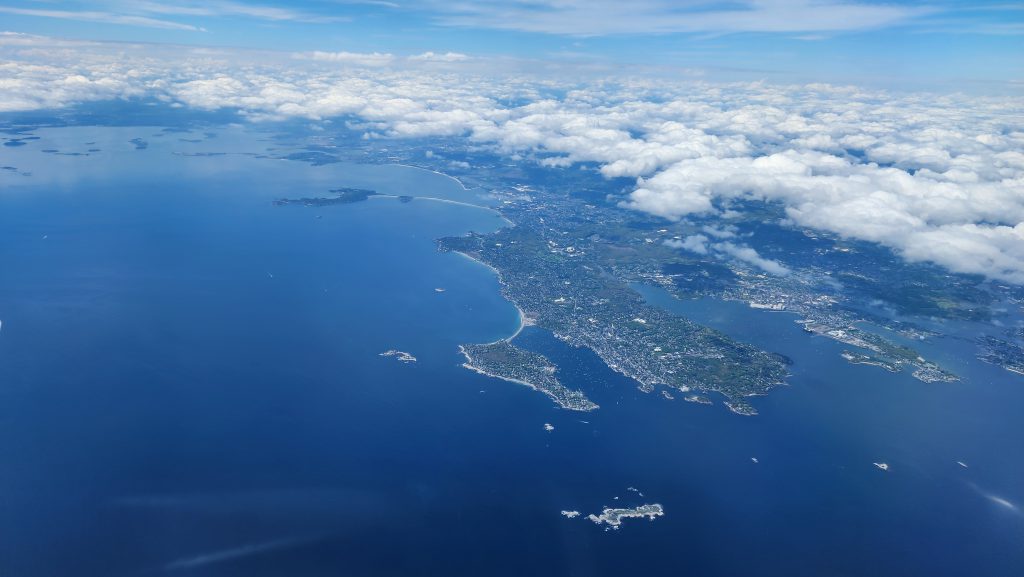
In May of 2025, I took a break from working on my game, Dice Tower, and flew out to Boston, Massachussetts to attend GodotCon. It’s a convention centered around the game engine I work with, Godot; it was the first time the event was held in the United States of America, my home country. GodotCon was amazing, and I want to share my experience!
Yes, this is the same Dice Tower that I said a few years ago we were going to finish quickly. That’s a story for another day.
Arrival in Boston – Sunday
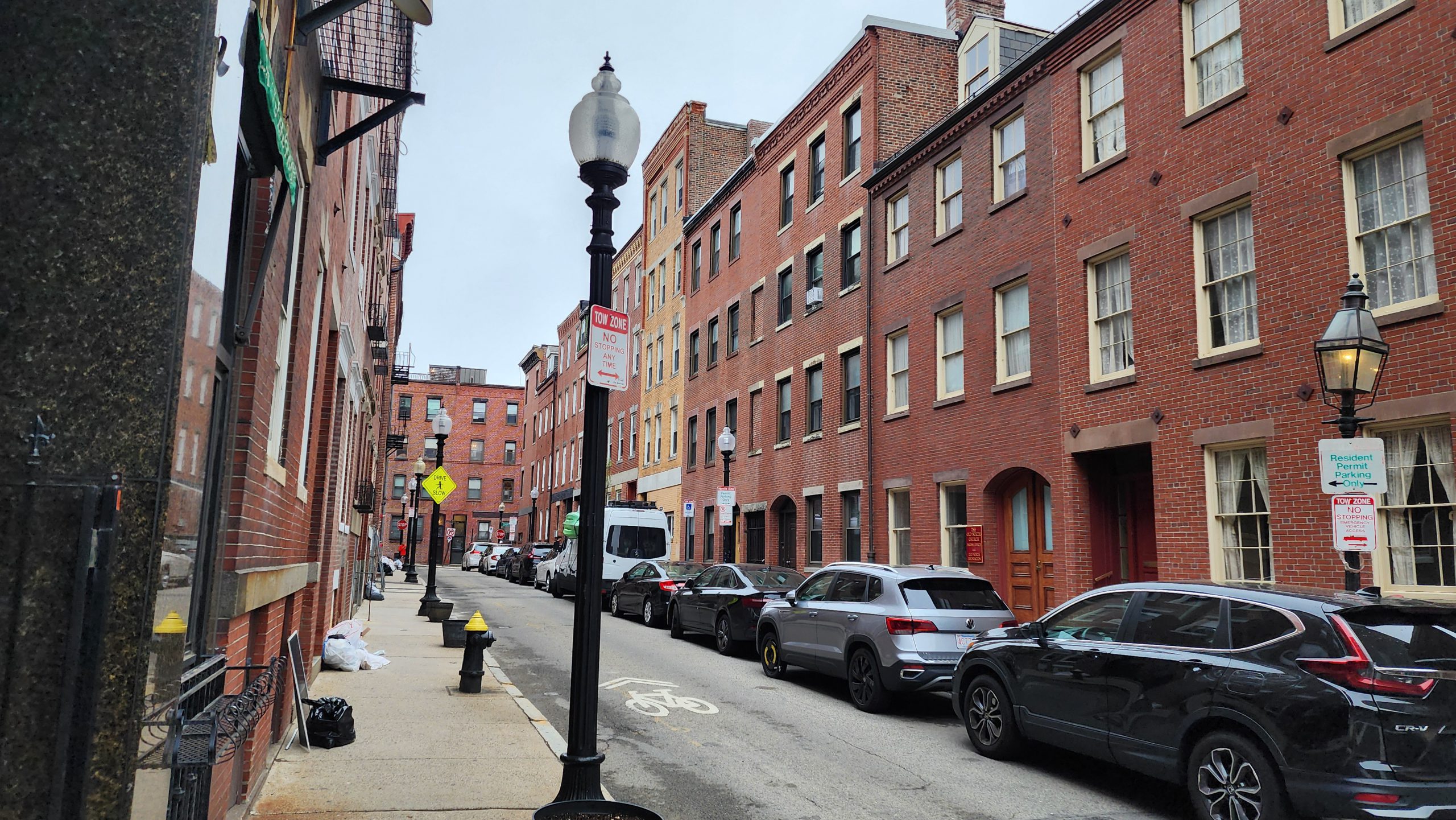
I flew into Boston on Sunday morning, which gave me a bit of time to explore the city before GodotCon started on Monday. This is a city steeped in American history, and I felt that as I explored the downtown area. I took a duck boat tour of the city, and got to hear more about Boston’s history. I also spent some time in the New England Aquarium, which has a unique 250,000 gallon aquarium pillar and an open-air penguin exhibit I found fascinating.
I walked to Neptune Oyster Bar for supper. As a Minnesotan, I rarely get a chance to experience fresh seafood, and Neptune served some amazing oysters and lobster roll. Afterwards, I meandered my way back to the car and drove to my hotel, ready to call it a night and rest up for three days of GodotCon.
Boston is the oldest city I’ve visited. I could feel the history this city is steeped in.
GodotCon Day 1 – Monday
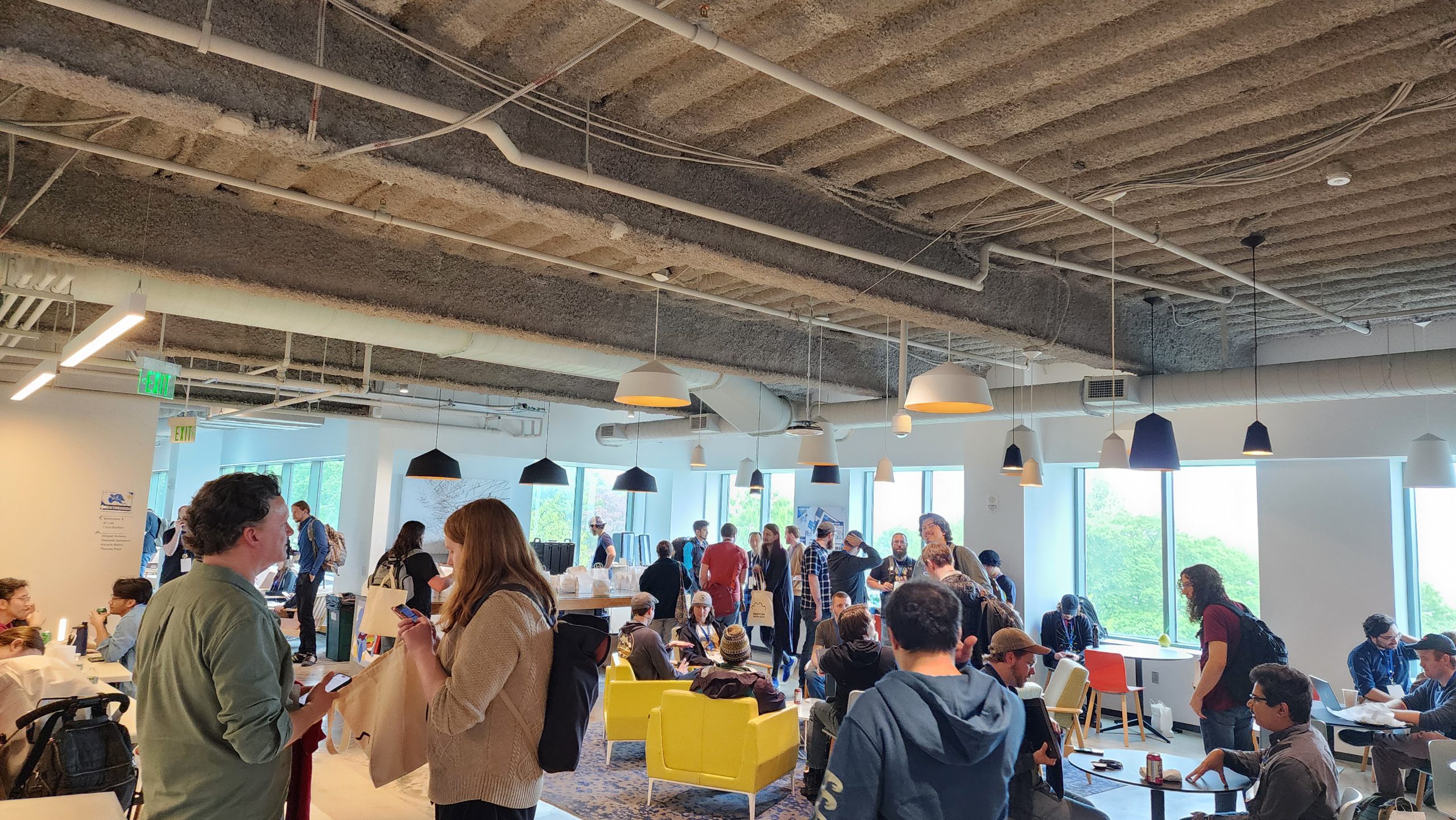
On Monday, I drove to the Microsoft N.E.R.D. campus, where GodotCon was being hosted. After checking in and getting my badge, I made my way to the GodotCon floor and spent the day chatting with fellow Godot devs and attending two workshops:
Building a Godot Plugin with GDExtension I’ve never worked with GDExtension before, so this was my first opportunity to try it out. Its ability to take any language (in this case, C++, which I also got a first-time experience with) and bind it as a Godot API is incredibly powerful, and this is something I’d love to tinker around with more in the future.
Narrative Design for Solo Devs I’ve not had many chances yet to design narrative-driven games, so this was a chance for me to create something using narrative concepts and a Godot/Inkle integration called inkgd. My output won’t win any awards, for sure, but it was nice to finally flex my narrative muscles in a project!
Afterwards, we hung out at a nearby bar, where I spent hours more talking with fellow convention goers, as well as members of the Boston Gamedev scene (whose group was largely responsible for bringing GodotCon to America). Many great conversations were had, and I didn’t head back to the hotel until late at night.
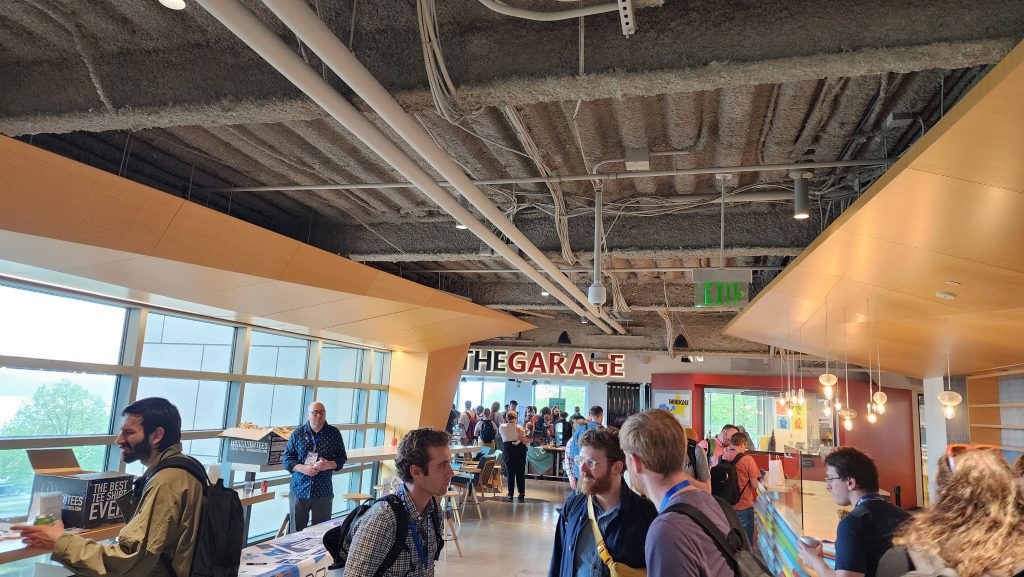
There was a sizable cadre of Godot games to play in The Garage, from released games to pre-alpha demos.
GodotCon Day 2 – Tuesday
Tuesday opened with a keynote by Emi Coppola, executive director of the Godot Foundation. From there, I spent the morning playing various Godot games at the showcase, and the afternoon attending presentations.
The games I played:
Neongarten, a roguelike city builder (developed by a fellow Josh!)
Dunderbeck, a backpack autobattler with meaty lore
Dante’s 9, a roguelite platformer where abilities are drawn as a hand of cards
Burrito Bear, an arcade came about a bear eating falling burritos
The talks I attended:
Making Operation Outbreak … into a Godot game Andres Colubri told the story of how Operation Outbreak, an in-person game designed to model viral spread in outbreaks, was made into a Godot game. The story was fascinating, and the impetus for this project is a cool example of using games for study and research.
What’s new in XR & Android (2025) David Snopek, Fredia Huya-Kouadio, and Logan Lang presented an official update on the progress made with Godot for XR (which is virtual reality and augmented reality combined in one term) and on the Android platform. I’m not familiar with this side of Godot, so it was great to dip my toes in those waters.
Scratching the itch.io – Godot Game Distribution Strategies Danny Silvers talked about Itch.io, one of the more well-known games distribution platforms outside of Steam, and why it’s beneficial and simple for devs to have a presence there. His points got me thinking about doing this for Dice Tower; in particular, I learned that people who buy games on Itch.io can be more loyal, since they have reason to go to Itch.io instead of Steam.
Improving Your UI in Godot Rawb Herb built a pause menu in Godot, sharing UI and design insights along the way. I enjoyed seeing his takes, and plan to reference the notes I took as I continue developing Dice Tower’s UI.
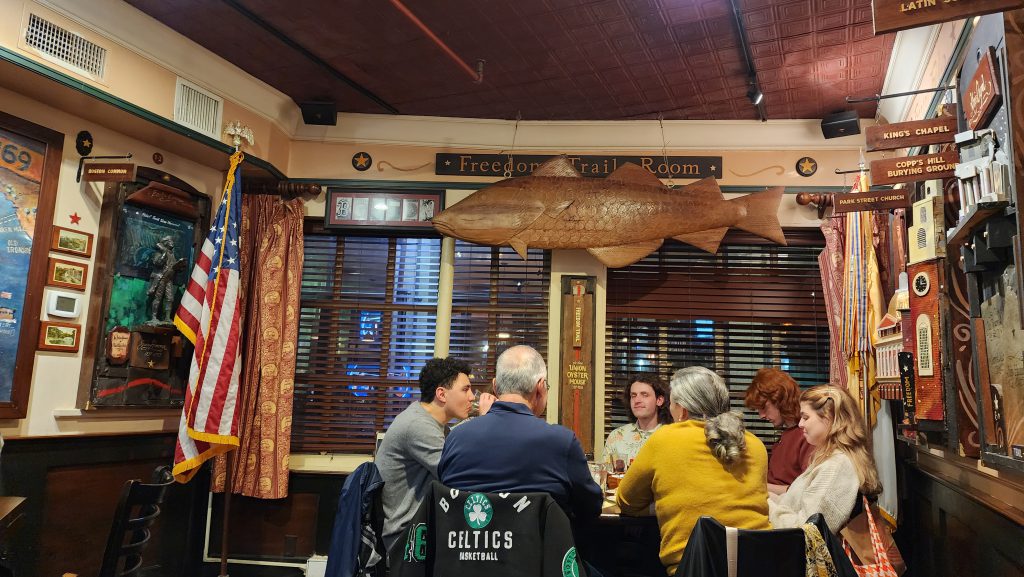
I went out to eat at the oldest restaurant in the United States: Union Oyster House. The food was great, especially the clam chowder!
GodotCon Day 3 – Wednesday
Wednesday was mostly spent attending talks and chatting with people in between.
The talks I attended:
LibGodot – Embed Godot Engine Everywhere This was about Migeran‘s efforts developing LibGodot and using it to embed the Godot engine into multiple different programs, leveraging the GDExtension API introduced in Godot 4; targets include Unreal, TypeScript, and Java. It was eye-opening to see this kind of tech; while I don’t yet have a need to embed Godot in other places, it’s now something in the back of my mind for, perhaps, some future effort.
I Work for Godot, AMA Emi, David Snopek, and Adam Scott answered questions around their work, encompassing a good cross-section of Godot work from the Godot Foundation to W4 Games (the company started by Godot veterans to provide enterprise-focused services). One thing that stuck with me is how their biggest problems relate to scale—with the drastic increase in Godot users over the last few years, there is far more work to do than volunteers to do it, making prioritization critical to moving Godot forward.
Two other speakers were to be part of the AMA, but, due to current tensions with U.S. immigration, they were unable to attend. Sadly, this perfectly valid concern was brought up more than once during conversations, and it saddens me that my country made this an issue.
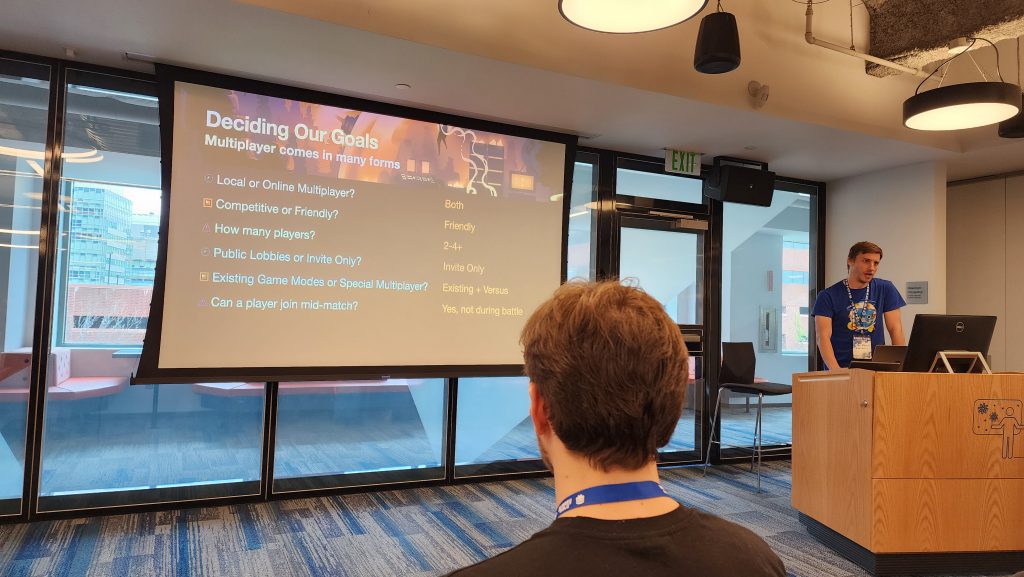
Keeper to Keepers: Adding Multiplayer to Dome Keeper Dome Keeper is one of Godot’s more well-known success stories (and one of my favorite games), and Chris Ridenour of KAR Games talked about how his company took that single-player game and worked to convert it to work with multiplayer. I’ve never designed or built a multiplayer game, so this overview was a great talk for getting my feet wet and having that info in mind for the future.
The YouTube Crash Course for Game Devs StayAtHomeDev is well-known for bringing exposure to Godot projects through his YouTube channel, and this talk was both a primer for how one can get going with a YouTube channel and a call of encouragement for us to create, whether our games or YouTube videos or otherwise. As the previous talk’s speaker was unable to make it, StayAtHomeDev also answered some questions beforehand about various topics. I’ve always had a YouTube channel in the back of my mind, and this talk was a nudge towards potentially acting on those thoughts.
I chatted with StayAtHomeDev multiple times during the conference. He’s an awesome guy, and we even share a common background in web development!
Enjoyable Game Architecture with Godot & C# Mark Wilson gave a talk around flexible architecture and how the Chickensoft ecosystem leverages clean architecture principles to make enjoyable tools and paradigms working with Godot and C#. I don’t work with C# (yet), but I’ve known Chickensoft’s founder for years, so I’ve been part of their community. After the talk, we got a group photo of the Chickensoft folks who made it to GodotCon!
Lightning Talks The final talk of the day was seven microtalks across a variety of topics. They all gave me interesting things to think about, from how to produce faster with a game jam mentality to improving time management to using custom resources to manage global state. It was a great set of closing talks.
After the Con, I left to hang out with an old friend living in the Boston area, and then flew back to Minnesota on Thursday.
A slide from the Keeper to Keepers talk.
Aftermath
Throughout GodotCon, I found myself inspired to be with so many people who use Godot. I’m usually in a minority in that regard when attending gamedev gatherings, so it was awesome to talk Godot and other topics with fellow Godot devs. Likewise, it was awesome to see a wide variety of Godot projects and see what others have done within the game engine I love working with.
I talked with a lot of people, both at GodotCon itself and at surrounding events (I even offered a couple people a ride home one day, and got some great discussion out of it). Everyone was kind, friendly, and passionate about their projects and their love for Godot. I’ve heard so many awesome stories and backgrounds, hopes and dreams, ideas and ideals, corridor chats and bar banter. It felt amazing to be a part of.
In addition to meeting new people, I had a fun few encounters with people I knew from elsewhere:
Adam, a guitarist for the band Steel Samurai, which just performed at VGM Con, where I was showing Dice Tower. (I caught the second half of that concert, it was great!)
David Snopek, a W4 employee and Godot maintainer whom I met at MDEV last year.
Daniel Johnsen, who showed off a Godot game (Golfella!) alongside Dice Tower at 2D Con in 2023.
One of the members of the Nice Games Club community, a gamedev podcast local to my home metropolis.
Finally, throughout GodotCon, I talked to people about Dice Tower and showed them videos of the game’s gameplay. The response to Dice Tower was universally positive, giving me great encouragement.
All in all, I thoroughly enjoyed GodotCon and the city of Boston. I’d love to do it again next year!
The talks will be posted to Godot’s YouTube channel in the near future; be sure to check those out!
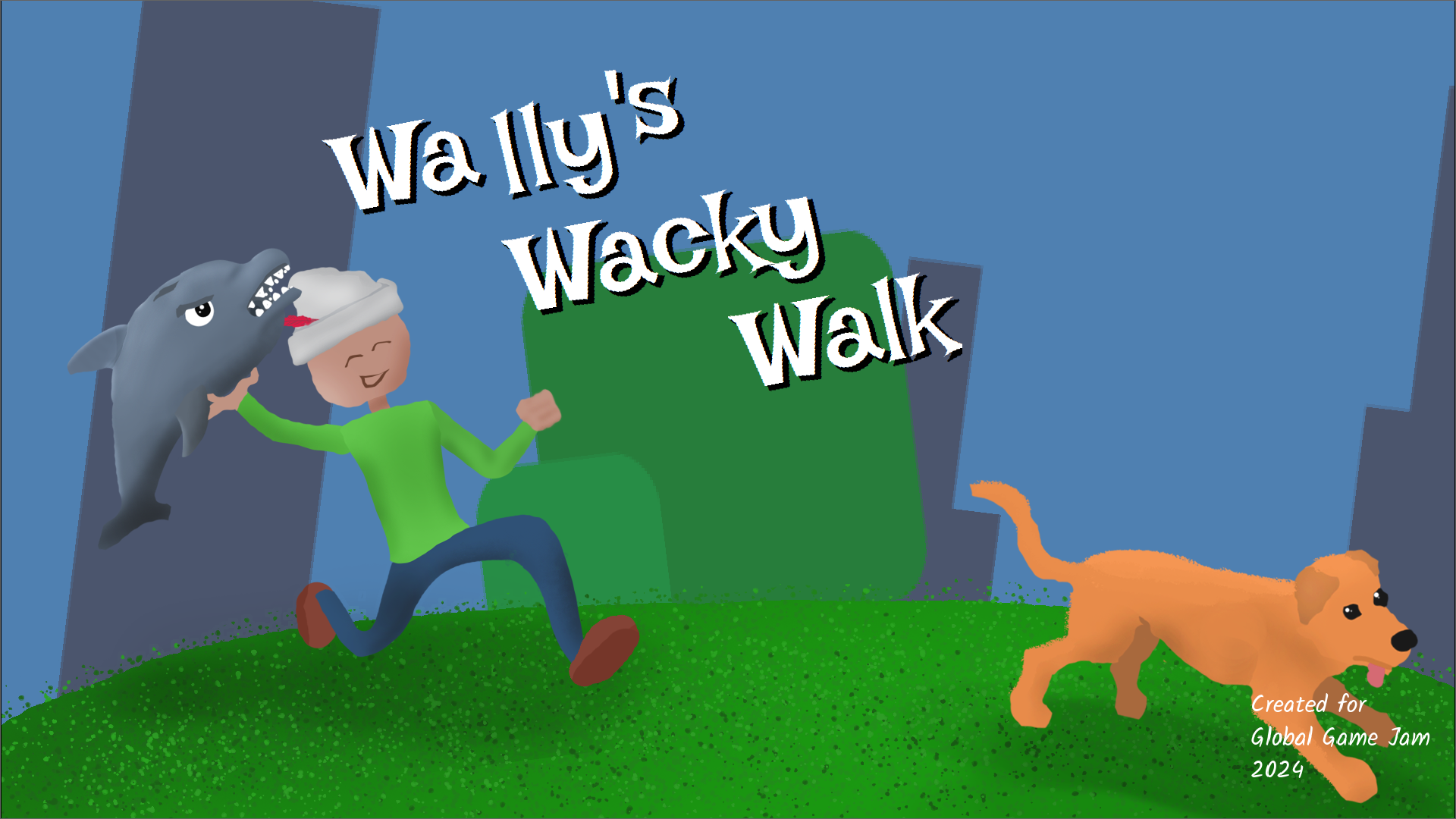
I recently presented a postmortem for the game I worked on for Global Game Jam 2024, Wally’s Wacky Walk. You can watch it here (along with other presentations from the IGDA Twin Cities community), and you can download the game here!
This year, I participated in Global Game Jam. In preparation for it, I decided to make a game in 16 hours, or one week’s worth of my game development time. What I wanted to focus on, in particular, was scoping the game accurately; in other words, I wanted the game’s scope to only encompass what I thought would be feasible within a week.
16 hours is the amount of time I’ve estimated spending doing game development during a typical week.
How did I do? Read on to find out!
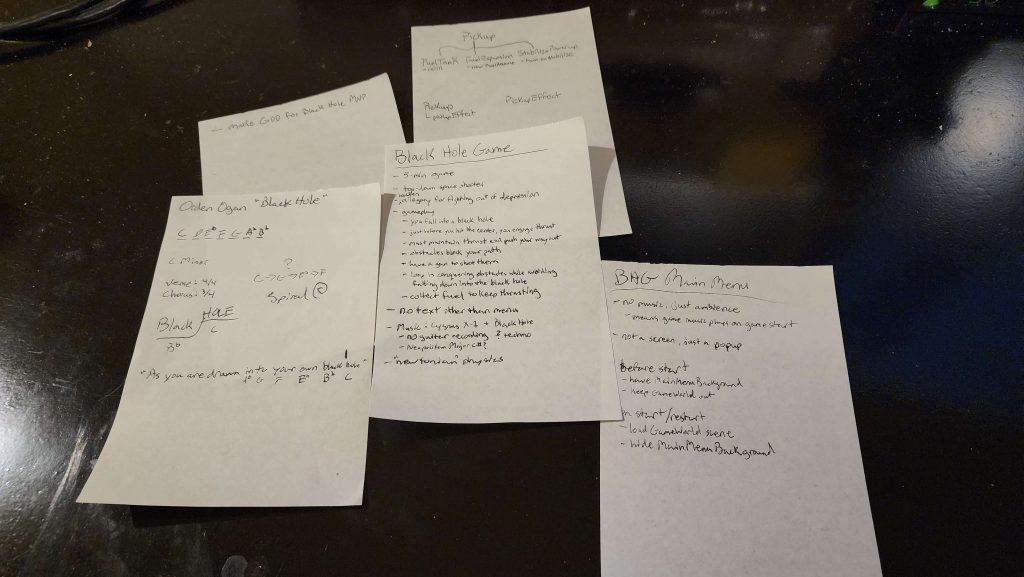
The various notes I scribbled roughing out game ideas.
Planning Phase
Day 1 (Saturday)
I spent a couple of hours on Saturday roughing out the game idea. I wanted to make a top-down space shooter, and I wanted the player to fight against a black hole’s pull and escape its gravity well. This theme was meant to be both literal and figurative, with game elements hinting an allegory of a fight against depression. To save myself the trouble of coming up with a good name right away, I used the working title Black Hole Game.
There would be two kinds of movement: rotational, where the player’s ship rotates and moves forward; and slide, which emulates classic top-down space shooter movement, such as Space Invaders or Galaga. There would also be shooting combat, with multiple guns for the player to collect, obstacles to shoot down, and enemies to dogfight and defeat.
A direct influence was a game called Laser Age, but I doubt that one is familiar to most people; I played it a lot when I was a kid.
This was a solo project, so I decided that there would be no custom art made for the game; everything had to be found in pre-existing art packs. I spent some time searching, and eventually purchased a few packs from an artist in a style that I liked (the Void packs from FoozleCC on Itch.io). For sound effects, I wouldn’t do any recording myself; either I’d find the effects online or I’d generate them with BFXR.
I chose to compose and mix the music. I had an idea of mashing the themes from two songs together: Rush’s Cygnus X-1 (Book 1: The Voyage) and Orden Ogan’s Black Hole. Both of these songs are themed around black holes, representing the dual literal/figurative theme I sought to represent. Although it would have been simpler to relegate this to external sourcing (as I did the art), I enjoy making music, so wanted to keep this part for myself.
I’d use Godot 4 to make the game. My long-term project, Dice Tower, is being built with Godot 3.5, so I wanted to get more experience using the latest version of Godot, particularly since that’s what I’d be using for Global Game Jam.
Finally, I set a deadline for the entire endeavour: Saturday, January 20th, 2023 at 5:00pm CST. In the spirit of a game jam, I wanted a clear, strict end time to force me to complete the project.
With my ideas set, I spent Sunday and Monday engaged in other activities. Come Tuesday, I was raring to go.
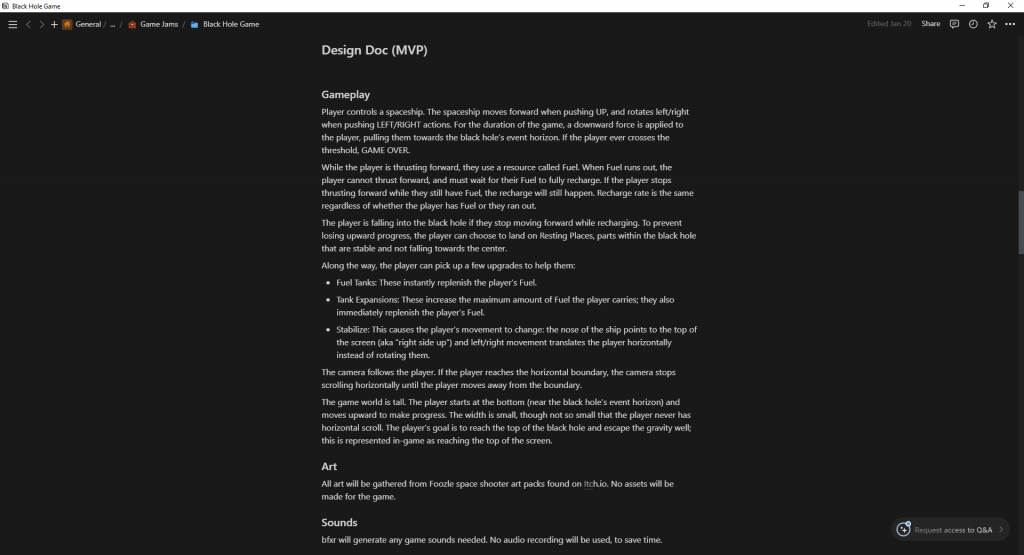
Part of the game design document I created for the game.
Day 2 (Tuesday)
My work period was in the evening. My only task this day was to create a game design document and a timeline for when I was going to work on certain tasks. I gave myself a one-hour time limit for doing all of it; the idea was that limiting how much time I had to plan would keep me from adding scope creep.
I used a modified version of the Pomodoro technique for consuming that hour of time. I’d do fifteen minutes of work, then take five minutes of break time. For the first block of work time, I spilled out as many ideas about Black Hole Game as I could. After the five-minute break, I spent the next fifteen minutes going through six randomly-drawn cards from my Deck of Lenses, writing down answers to how Black Hole Game might be seen through each lens. The final fifteen minute block was spent furiously typing out the actual game design document, or what was actually going to make it into the game. That brought me to 55 minutes of work; the final five minutes were spent taking my game design document and scheduling out which tasks would be worked on when.
I think timeboxing the game design period proved useful. Only a small amount of the many ideas I’d come up with made it into the design doc, and that was solely because I didn’t have enough time to write them all down. Since there were fewer things, it limited the scope of what Black Hole Game was going to be. All that remained was to see whether or not that small amount of scope was achievable.
Some of the ideas that were left on the planning room floor included the guns and shooting-oriented mechanics; the gameplay would solely focus on movement.
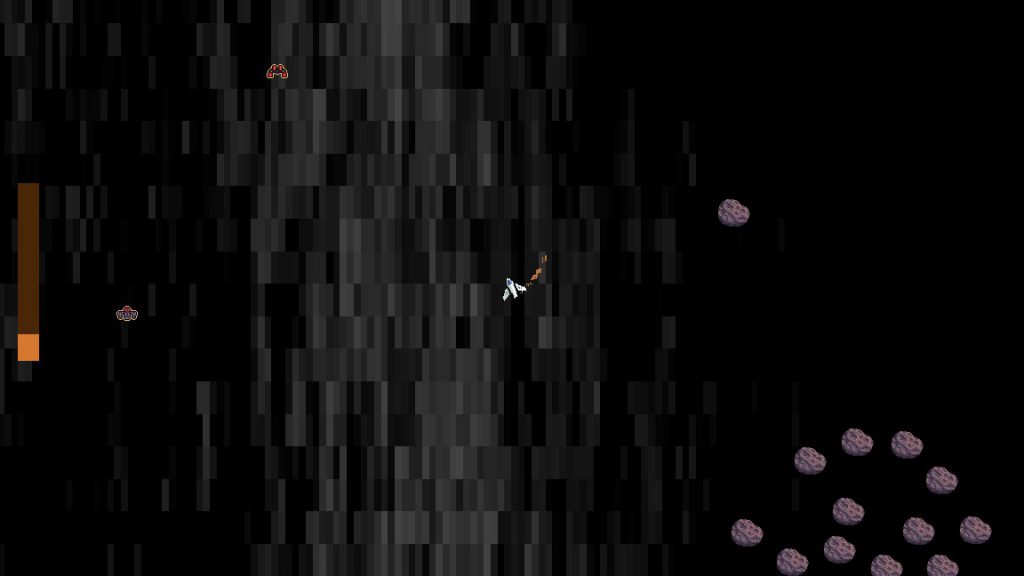
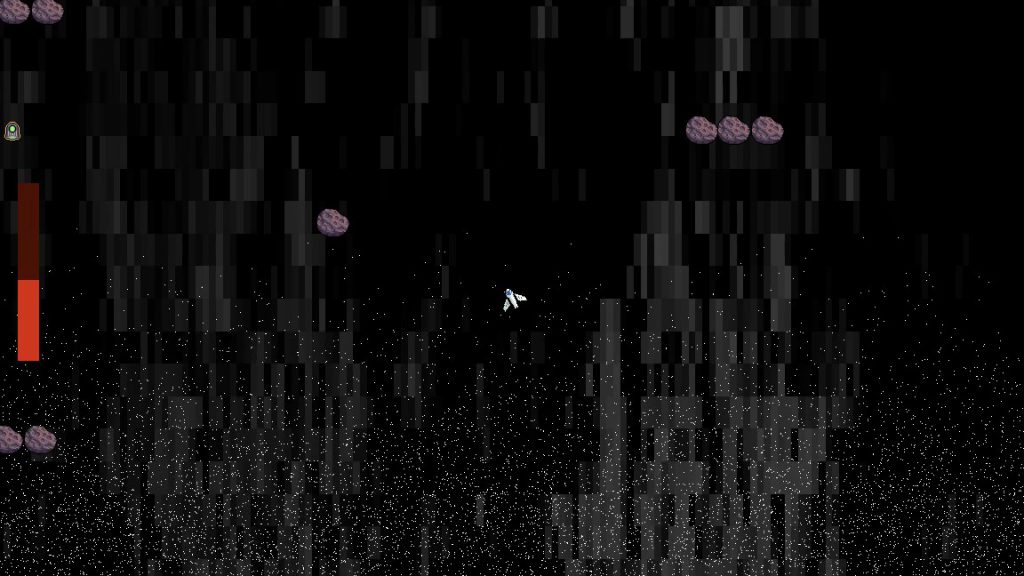
Yes, the background is a noise texture.
Development Phase
Day 3 (Wednesday)
My time period was both morning and evening. Accordingly, I focused on roughing out the core of the game: movement mechanics and endgame triggers. My goal for the end of the day was to have a playable minimum viable product.
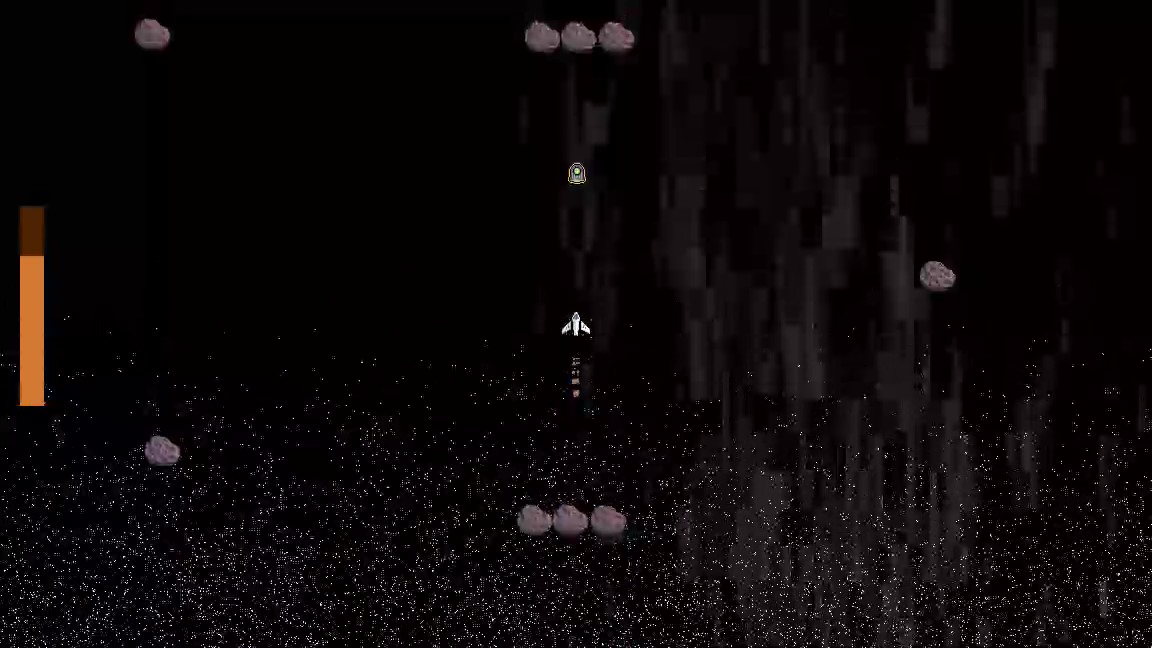
After creating the Godot project, I started implementing the player spaceship. I added the rotation-based movement first, spending a bit of time trudging through trigonometry (and the CharacterBody documentation) to figure out a simple implementation. Once this was mostly functioning as desired, I added the alternative sliding movement style, as well as the ability for the game to switch between the two movement styles seamlessly. Finally, I added constant downward velocity, simulating the pull of a black hole.
I added a debug key to let me freely toggle back and forth between the two styles of movement, even though my ultimate goal was to trigger this change through a pickup. I didn’t remember to take it out of the final build, so any player that figures out what the bind is can cheat the game. ;P
Once the player movement was working, I fleshed out my test game world into a fuller experience. I created some simple asteroid platforms for the player to rest their ship upon. I also made a couple of debug endgame zones: a red one for the black hole bottom, signifying defeat; and a green one to indicate where victory would be given to the player. In both cases, I showed a rudimentary test popup to communicate this endgame state. At this stage, the loss and victory zones were not too far away, for ease of testing.
With a game world in place, I worked on creating the Fuel mechanic. This limited how long the player was able to use their forward thrust, and with it the ability to drive against the black hole’s pull, and would create the game loop of moving from resting place to resting place without running out of fuel along the way. The implementation itself was simple: I made a custom resource that tracked how much fuel was in a given fuel tank, how long it took for the fuel to recharge, and signals to indicate when fuel was depleted or replenished. I then gated the player’s forward movement behind whether they had fuel in the fuel tank; if the player ran out of fuel, they couldn’t thrust forward until the tank recharged to full.
The last thing I tried was an experiment to render a black hole through Godot’s shader system. I tried a few shaders I found online, but none of them worked with initial implementation. Eventually, I decided that this wasn’t worth continued pursuit, and I axed it from my todo list.
By the end of the day, I had my MVP working: the player ship moved as designed, they had a fuel resource to manage, and places where they would trigger defeat or victory upon touching. I was feeling good about my chances meeting the planned scope.
The rocket flame is a basic Godot particle effect.
Day 4 (Thursday)
Today, I only had a couple of hours in the morning to do game development work. Knowing this ahead of time, the only work I scheduled for that day was implementing a UI display for the fuel gauge and a Pickup system with three implementations: Fuel Tanks (instant refuel), Tank Expansions (refuel and expand the player’s tank capacity) and Stabilize (temporarily activate the Slide movement style). The day went as planned, and I implemented all of those thing by the end of my game development time. Once again, my confidence in the game scope increased.
The “black hole” is a giant Godot particle effect.
Day 5 (Friday)
Once again, I only had a morning’s couple hours to work. Originally, my plan was to implement sound effects, but I changed my schedule to work on music, instead; I figured the timeboxing would be more useful for roughing out a composition than figuring out sound effects and how to implement them.
This time, I encountered difficulty. I had specific ideas for how I wanted to make the music, and I spent an hour messing around with various virtual instruments to try and get better sounds. Ultimately, most of that time was wasted, as I reverted to using the sounds I’d had in the first place.
Because of that wasted time, I rushed my way through a composition, and at the end of my gamedev work period I still didn’t have a fully composed piece of music, let alone the victory and defeat variants and the actual in-game implementation.
At this point, I became worried about whether I could still meet my planned scope. Were it not for my strict limit on when I would be allowed to work, I probably would have forced myself to finish the music on Friday night, against my work-life balance needs; instead, I forced myself to stick to the plan, and resolved to finish things as soon as I could on Saturday.
I kept the UI minimal, but took the trouble to find custom fonts on Google Font; not using the engine default font looks more polished.
The Final Push
Day 6 (Saturday)
This was the final day for developing Black Hole Battle (the final title of Black Hole Game). I had ten hours, from 7am to 5pm, to finish development. By my self-imposed standards, this included publishing the game and making it available for people to play.
First, I had to catch myself up from where I’d gone off-plan. I spent about an hour finishing the music composition; ultimately, I was very pleased with it, and it decently accomplished my composition goal of merging Rush and Orden Ogan. I also threw together some short themes to play during defeat and victory.
With the music composed, I started work on implementing the music into the game. I thought I’d save some time by stealing some code from Dice Tower’s sound management system and converting it to work in Godot 4; the reality was that this system was built on top of a number of internal systems which I also had to port over to make the entire system work. Altogether, that was another two hours spent. Once the foundational systems were in place, it didn’t take too long to wire up the logic for when each piece of music should play.
Next, I jumped into creating and integrating sound effects. With time being compressed, I opted for using BFXR to create almost all of the needed sound effects (the lone exception being an ambient background noise, which I wound up stealing from Dice Tower). I worked my way down the list of planned effects, crossing out any which I felt I could do without. By early afternoon, all the necessary sound effects were created and implemented.
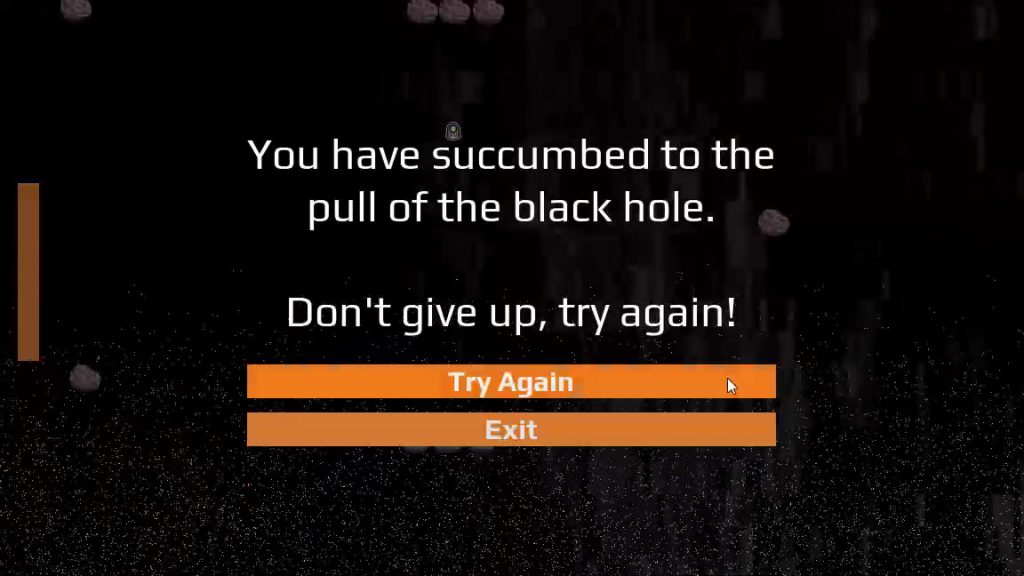
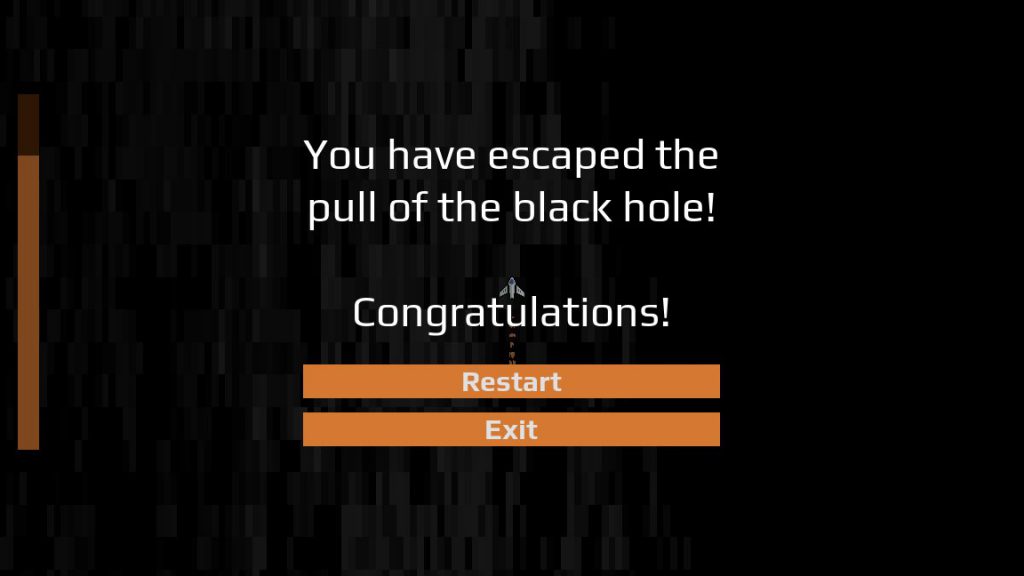
At this point, I needed to add the bare minimum requirements for UI, menus and game restart logic. I spent 20 minutes finding and adding two fonts: one for stylistic display, like headings, and one for button and paragraph text. Next, I created a Theme resource and added just enough customization to reduce the cost of duplication (like consistently styled buttons). With that theme, I created and styled my main menu, pause menu, and endgame menu popups. Once the menus were made, I added logic for when they would appear. Finally, I created proper game start and restart logic and integrated that with my menus. Once these things were finished, I had a fully functional and minimally polished game. To confirm I had a functional build, I did a test export of the game and proved that it still worked.
Fortunately, I only had one screen resolution to worry about; my experience supporting multiple resolutions in Dice Tower cautioned me against making the effort to do more than that.
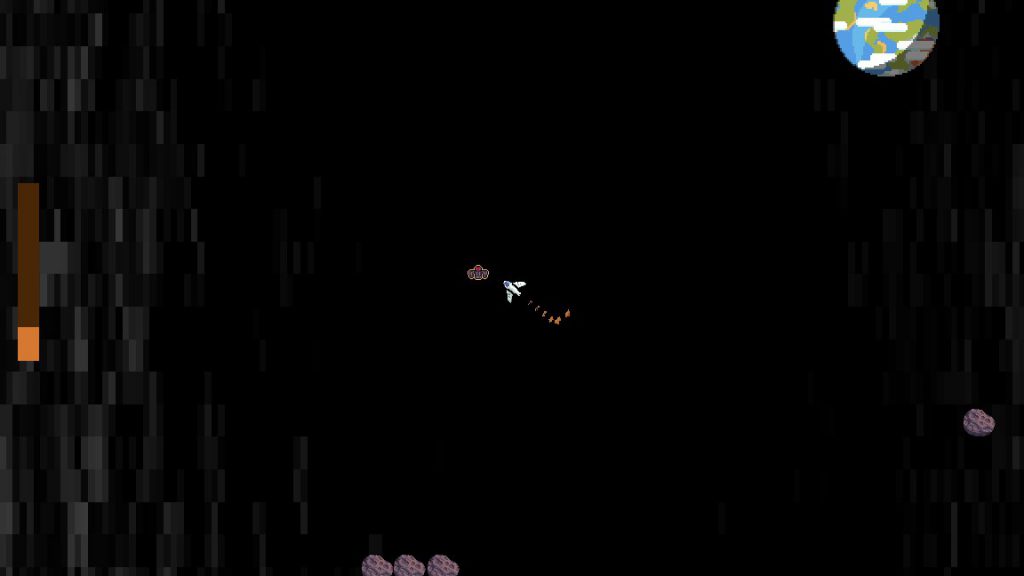
By this time, I had about an hour left to add whatever content and polish I could muster. I threw together some simple game objects (based around the asteroids and planet from the purchased art packs) and tossed them into an expanded game world, along with generous placement of player pickups. I also adjusted the player movement mechanics slightly, to make them feel more responsive. Finally, I hid the debug graphics for the endgame zones, and, for the black hole bottom, I added a particle effect to indicate some kind of churn and swirl; hardly a realistic representation of what a black hole would actually look like, but it felt cool and only took a minute to spin up.
With minutes to spare, I created the final export and uploaded Black Hole Battle to a hosting service. The project was finished, and precisely at 5pm! I shared the project with a few friends, then went upstairs to have supper with my family.
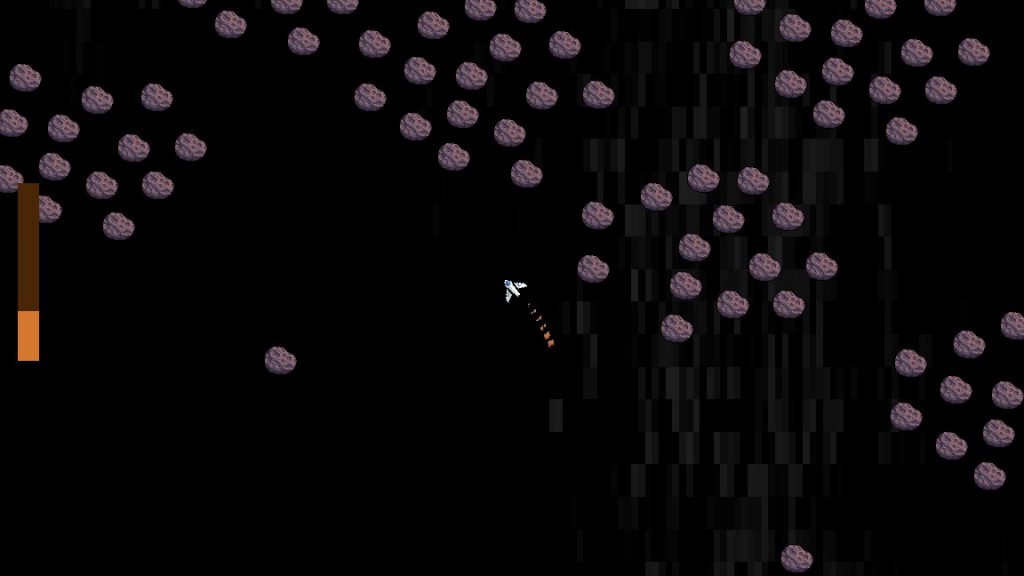
I created a single asteroid scene, then created other scenes that let me reuse that one asteroid scene in groups. For these big clusters, I added a script that let the game randomly pick an amount of asteroids to show, adding easy variety.
Takeaways
The primary goal for Black Hole Battle was to practice scoping for a specific amount of time. Given this, I was successful: I accomplished all of the features I’d set out in the game design document.
Did I complete every single task? No, but that was never the goal; it’s impossible to complete a project exactly as drawn up, and there must be room alotted for adjustments. What I was expecting of myself was to implement all the planned game features and to release them in a polished state; in this effort, I succeeded.
Was the game itself perfect? No; the audio balance between SFX and Music was off, I didn’t really nail the planned thematic duality of black holes and crippling depression, and the small amount of gameplay means it doesn’t take long to fully explore what the game offers. My focus wasn’t on making Black Hole Game the best game it could be, but on making it good enough to be releasable. The game isn’t perfect, but it’s “good enough” to feel like a complete game.
At no point did I force myself to work longer than the hours I’d planned. I resisted the urge to crunch when I felt like I was falling behind, and I still found a way to deliver a completed project. This was a rare success, as previous projects have either ran horrifically over scope or had significant cuts to features and quality to release them on time. Hopefully, I can use this as a standard to plan other projects by.
Conclusion
I wanted to prepare for Global Game Jam by making a one-week, precisely-scoped project. With Black Hole Battle, I successfully achieved this goal, and it left me feeling confident going into Global Game Jam.
How did the jam itself turn out? You’ll find out soon, when the IGDA Twin Cities Global Game Jam postmortem meeting is uploaded to YouTube! That said, I consider the work I did on Black Hole Battle an important factor in how my time at Global Game Jam went.
Here is the final result for Black Hole Battle, for those who wish to try it out. I have no plans to make further changes for it, but feel free to leave feedback so I can apply it to future projects.
Tonight, I gave a presentation for my local IGDA chapter (Twin Cities) called Stop Waiting for Godot: Introducing You to the Godot Game Engine. This is a high-level overview of what Godot is and what you can do with it, intended to give you a taste of what working with Godot is like. You can watch the recording here, on IGDATC’s YouTube channel!